Conformance Certification Badges
Directory-issued visual badges that verified publishers may display.
The badge assets and their display rules are stable. The visual design and SVG markup are versioned as standalone assets; substantive changes will increment the certification badge version. See specification conventions for status definitions.
Last updated:
The AI Visible Directory, in its role as the canonical conformance registry for this specification, issues three visual certification badges that verified publishers may display on their websites. Each badge corresponds to one of the three conformance classes: Essential, Recommended, or Complete. This page documents the badges, the embed snippets, and the rules for who may display each one.
1. The three badges
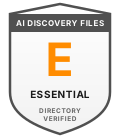
2 of 10 files required
(
llms.txt + ai.txt)

6 of 10 files required
(adds
identity.json, brand.txt, faq-ai.txt, ai.json)
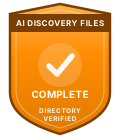
All 10 files required
Each badge is a single SVG file, served from a stable URL on this site. Badges scale cleanly from 60px wide (the practical minimum where text remains legible) up to several hundred pixels. The design intent is that a reader sees the badge, recognises the certification, and understands the publisher's conformance status at a glance.
2. Who may display each badge
The rules are simple and absolute:
- A publisher MAY display a badge if and only if the Directory has verified them at that class or higher. A publisher verified at Recommended class MAY display the Essential badge (because Recommended supersedes Essential) but MUST NOT display the Complete badge. A publisher verified at Complete class MAY display any of the three.
- Self-declared publishers (without Directory verification) MUST NOT display any of these badges. Self-declaration is a legitimate conformance claim and is documented in the conformance specification, but the badges are reserved for Directory-verified publishers as the visual signal of independent verification. Self-declared publishers may use the textual phrase "AI Discovery Files conformant" per the licensing policy.
- A publisher whose Directory verification has lapsed (downgraded, removed, or paused) MUST remove the badge. The change history on a publisher's Directory listing records when verification changes; publishers are notified by email of downgrades. Display SHOULD be removed within a reasonable window after notification (the Directory does not actively police badge display, but misrepresenting current verification status is a misuse of the certification mark).
The badge is intentionally linked to current Directory verification, not historical verification. This is what makes it a useful trust signal.
3. Embed snippet
The recommended HTML for embedding a badge:
<a href="https://www.ai-visibility.org.uk/directory/verify/<your-slug>"
   target="_blank" rel="noopener">
  <img src="https://www.ai-visibility.org.uk/specifications/badges/<class>.svg"
       alt="AI Discovery Files: <Class> conformance, Directory verified"
       width="120" height="140" loading="lazy">
</a>
Where:
<your-slug>is your Directory listing slug. Find it on your Directory dashboard. The link points at your public verification record, which displays your current verified class, last-checked date, and per-file scores.<class>is one ofessential,recommended, orcomplete, matching your verified class (or any lower class).- The
altattribute SHOULD describe the badge: e.g.alt="AI Discovery Files: Recommended conformance, Directory verified".
The verified Directory dashboard for each publisher includes a copy-paste snippet pre-filled with the publisher's slug and current class. Use that snippet rather than hand-rolling the markup; it stays accurate when verification status changes.
4. Sizing and placement
- Minimum size: 60px wide. Below that, the "AI DISCOVERY FILES" text band becomes unreadable.
- Recommended size: 120px wide (the SVG's native dimensions). Use this for inline display in footers, sidebars, or trust-signal blocks.
- Maximum size: there is no maximum; SVGs scale cleanly. For hero-section display, 200-300px reads well.
- Aspect ratio: the badges are 120×140 (slightly taller than wide). Maintain the aspect ratio. Don't squash or stretch.
- Margin: leave clear space around the badge equal to roughly 10% of its width. Don't crowd it with other logos or text.
- Background: the badges have an internal background and are designed to sit on any light or moderately dark surface. On very dark backgrounds, place them inside a light card.
5. Don't modify the badges
Publishers MUST display the badges as supplied. Specifically:
- Don't recolour the badge to match your brand palette. The orange-and-grey colour is the certification mark.
- Don't add your own text inside the badge (e.g. your company name).
- Don't remove the "DIRECTORY VERIFIED" line or the "AI DISCOVERY FILES" band.
- Don't combine the badge with another logo or icon inside a single artwork.
- Don't apply heavy filters, drop shadows, or effects.
- Don't use a screenshot or rasterised copy. Embed the live SVG from this site so updates propagate automatically.
If you need a variant (e.g. a horizontal pill version for inline use, a monochrome version for print, a dark-mode variant), contact support. The Directory will consider commissioning additional variants if there is demonstrated demand.
6. Canonical URLs
The badges are served from canonical URLs that publishers may rely on. Hot-linking the SVG (rather than self-hosting a copy) is encouraged: it means a future visual update or anti-fraud change propagates to every publisher automatically.
| Class | SVG URL | Cache |
|---|---|---|
| Essential | https://www.ai-visibility.org.uk/specifications/badges/essential.svg | Browser 30 days; CDN 30 days |
| Recommended | https://www.ai-visibility.org.uk/specifications/badges/recommended.svg | Browser 30 days; CDN 30 days |
| Complete | https://www.ai-visibility.org.uk/specifications/badges/complete.svg | Browser 30 days; CDN 30 days |
The URLs serve Access-Control-Allow-Origin: * so cross-origin embeds work everywhere. The same image is served to every publisher regardless of their identity; verification status is communicated by the link target (the per-publisher verification record at /directory/verify/<slug>), not by the image itself.
7. Anti-fraud and misuse
Because the SVG is publicly accessible, anyone can technically embed it on their site. The protections against fraudulent display are:
- Linked verification record. The recommended embed snippet links the badge to
/directory/verify/<slug>. A click verifies that the publisher really is in the Directory at the displayed class. A badge that doesn't link to a verification record, or that links to a slug that doesn't match the displaying site's domain, is a signal of misuse. - Directory listing visibility. The Directory's public listings are searchable. If a site claims a class but isn't in the Directory at that class, the discrepancy is visible.
- Reporting. Suspected badge misuse can be reported via support. The Directory will investigate and, if appropriate, publish a misrepresentation notice per the removal policy.
Fraudulent badge display is rare in practice because the linked verification record makes it trivially checkable. Publishers who want the credibility of the badge generally also want the substance of Directory verification.
8. Licensing
The badge SVG files are released under MIT licensing (the same as the JSON Schemas). This is permissive enough that publishers can embed them on commercial sites without attribution overhead.
Permission to display the badge, however, is conditional on Directory verification under the rules in section 2. The two are separate: the MIT licence covers your right to copy and embed the file; section 2 covers your right to display it as a representation of your conformance status.
Use of the textual phrase "AI Discovery Files Directory-verified" is permitted only for publishers actually in the Directory at the relevant class. See the licensing policy for the full naming and attribution stance.
9. Versioning the badges
The visual design and SVG markup are versioned as the certification mark itself, separate from the AI Discovery Files specification version. The current version of the certification mark is 1.0 (initial public issuance). Future visual or technical changes (e.g. accessibility improvements, additional metadata, anti-fraud enhancements) will increment this version.
Because publishers hot-link the SVG from canonical URLs, version updates propagate automatically. A publisher who self-hosts a copy of the SVG (not recommended) will need to re-fetch the updated artwork when the certification mark version changes; major changes will be announced via the project changelog.
References
- Conformance specification: the three conformance classes and what they require.
- The Conformance Registry: the Directory's role as issuer of these badges.
- Self-declaration vs Directory verification: why self-declared publishers cannot display these badges.
- Licensing & Trademark policy: naming, attribution, and trademark stance.
- AI Visible Directory: where verification happens.
- Directory dashboard: where verified publishers obtain their embed snippet.