
"Which AI tool should I use?" is the question I get asked more than any other, and the honest answer starts with a question back: what are you actually trying to do?
That sounds like a dodge. It isn't. There are now more AI tools than anybody can sensibly evaluate and every one claims to be the best, so picking a tool before you've picked a job is the reason most people try AI once, get something bland back, and quietly decide it's overrated.
The numbers say a lot of people are stuck exactly there. Which? surveyed 4,189 UK adults in September 2025 and found 51% had used an AI search tool personally. Among those who hadn't, the commonest reason given wasn't cost, or privacy, or scepticism. It was that they didn't know enough about it. One in five simply didn't have a way in.
This is the way in, written for people who aren't technical and don't want to be. How to get started with AI, which tool suits which job, what the learning curve honestly looks like, how to write a good AI prompt, and how to give an AI enough context about your business that it stops writing like a brochure. It's written for sole traders and owners weighing up AI tools for small business use, and for anyone who just wants to work out what everyone else is on about.
Key points
- Start with one real task, not with a tool. The job usually picks the tool for you.
- The tool matters less than the brief. Generic output is nearly always a missing-context problem, not a model problem.
- Most prompt "tricks" don't work. Wharton has now tested threats, tips and expert personas. None of them reliably help.
- Nobody serious uses one tool. We use three, because one of them can't draw and another can't be trusted with a citation.
- Install the app. A keyboard shortcut over your current window beats a browser tab you have to go and find.
- Check anything that matters. Eight AI search tools got source attribution wrong more than 60% of the time, and sounded certain doing it.
Why "which AI should I use?" is the wrong first question
Ask ten people which AI tool is best and you'll get ten confident answers, most of them describing the one they happened to try first. That's not expertise. It's exposure.
Here's the thing that took me a while to accept: for the ordinary jobs most people want doing, the top four or five assistants are close enough that the difference in the finished work comes almost entirely from what you tell them. Give ChatGPT, Claude and Gemini the same lazy one-line request and you'll get three similar, similarly useless paragraphs. Give any one of them a proper brief and it will outperform all three of the lazy attempts.
So the difference that decides your answer usually isn't the model. It's where your information lives. If the thing you need is buried in Outlook, that points one way. If it's in Drive, another. If it's in a stack of PDFs on your desktop, a third. That's a routing question, and it has a clear answer.
"You need to know specifically what YOUR AI is good at, not what AIs are good at on average."
I read that the week we'd spent an afternoon arguing about benchmark tables, and it landed like a mild telling-off. We'd been comparing scores from tests nobody in this office will ever sit. Mollick's point, drawn from a study where professionals graded models on realistic work, is that ChatGPT came out the better sales manager and Claude the better financial advisor. Averages hide that completely. The only benchmark that tells you anything useful is your own Tuesday afternoon, run through two tools, compared honestly.
Which AI tool for which job: writing, research, documents and images
Start here. Find your job in the left column, try the tool in the middle, and ignore everything else for now.
| What you're trying to do | Try first | Why that one |
|---|---|---|
| Mixed everyday writing, planning and questions | ChatGPT | The broadest all-rounder, and the one most guidance assumes |
| Writing business emails and important letters | Claude | Better prose, and it edits without flattening your voice |
| Reading or summarising a long document | Claude | Handles length well and follows fiddly instructions to the end |
| Anything that starts in Gmail, Docs, Sheets or Drive | Gemini | Your material is already inside Google |
| Anything that starts in Outlook, Word, Excel or Teams | Microsoft Copilot | Your material is already inside Microsoft 365 |
| Research where you want to see the sources | Perplexity | Search-shaped, shows the links beside the answer |
| Questions answered only from documents you supply | Gemini Notebook | Refuses to wander outside the sources you upload |
| Pictures for marketing, social or presentations | A dedicated image tool | Midjourney for look and feel, ChatGPT or Gemini for images with legible text |
| Reading a photo, a scan, a screenshot or a receipt | ChatGPT or Gemini | Both read images well; drag it straight in |
| Talking instead of typing | ChatGPT or Gemini voice | Surprisingly good, and much faster than thumbs on a phone |
| Anything a solicitor, accountant or engineer signs off | None of them, alone | Use AI to prepare and to ask better questions, not to decide |
That last row matters more than the other nine. AI is very good at helping you arrive at a professional's office already understanding the problem. It is not a substitute for the person who carries the liability.
ChatGPT vs Claude vs Gemini vs Copilot: what each is good at
Short version, written the way I'd tell a client over the phone. Prices move constantly, so treat any figure here as "checked 14 August 2026" and see our full comparison of AI subscription prices for the buying decision.
| Tool | Free tier? | Best at | Weak spot |
|---|---|---|---|
| ChatGPT (OpenAI) | Yes, generous | Being the one tool that does most things: writing, planning, spreadsheets, images, voice, web search | You often can't tell which model actually answered you |
| Claude (Anthropic) | Yes, limited | Careful writing, editing without flattening your voice, long documents, following awkward instructions | Can't generate images at all. Usage limits are hard to predict |
| Gemini (Google) | Yes, generous | Work already in Gmail, Docs and Drive. Very good with video, audio and images | The product names and what's included change often |
| Microsoft Copilot | Yes | Drafting and analysing where the real material sits in Outlook, Teams, Word or Excel | Licensing is a maze. Consumer, work and Premium are three different things |
| Perplexity | Yes | Research where you want to click through and read the source yourself | A citation is not proof. See the section on checking, below |
| Gemini Notebook (was NotebookLM) | Yes | Answering strictly from a set of documents you control, with references back to them | Deliberately won't go beyond your sources, so it's no good for open questions |
| Midjourney | No | Images with real aesthetic quality and a consistent look | No free tier. Your work is public by default unless you pay for a higher plan |
One correction worth making early, because it trips up nearly everybody: the app is not the model. Perplexity runs other companies' models underneath. Copilot runs OpenAI's models inside Microsoft's data handling. Gemini Notebook is a product built on Gemini. When someone tells you "Perplexity is better than ChatGPT", they're often comparing a search interface with a chat interface, not two different intelligences.
Why we use ChatGPT, Claude and Gemini together
There's an assumption buried in "which AI tool should I use" that you have to marry one. You don't, and we don't.
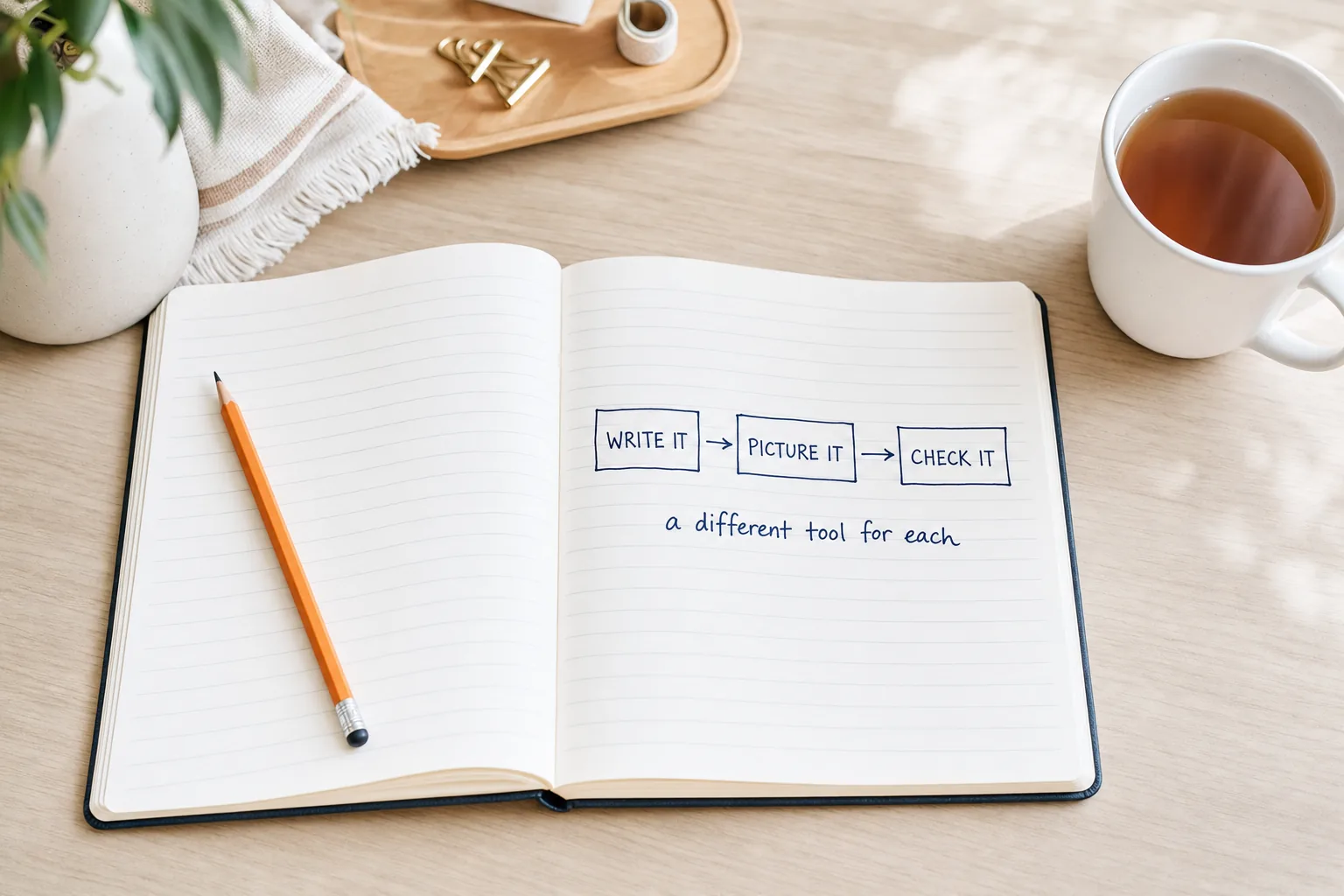
Here's our own stack, honestly described. We use Claude for nearly all technical work, because it's the strongest at code and at following a long list of constraints without losing one halfway down. In June, Claude Fable 5 built the free AI Crawler Checker on our main site from a single brief. That tool tests 13 different AI crawlers against a site's robots.txt and against live server responses, and it worked first time, design included. I've never had that from any model before or since.
But Claude cannot draw. Not "draws badly": it has no image generation at all. So every photograph on this article came from OpenAI's image model, picked because it renders text inside an image without garbling it and doesn't default to the gloomy neon look. And when we needed eighteen consistent hero images across a locksmith's area pages, we used Gemini's image model with reference images to lock the style, and got twelve usable variants on the first pass with no regenerations.
Three vendors, three jobs, no loyalty. If you're worrying that using more than one tool means you haven't decided yet, stop. Using more than one tool is the decision.
A cheap way to start mixing
Keep two free accounts, not five. One general assistant for daily work, and one that's good at whatever your second-commonest job is. Add a third only when a real task keeps failing on the two you have.
AI desktop apps: install it, do not live in a browser tab
Almost every beginner starts on the website, and most never leave. ChatGPT, Claude and Gemini all ship desktop apps for Windows and Mac as well as phone apps, and the difference is bigger than it sounds.
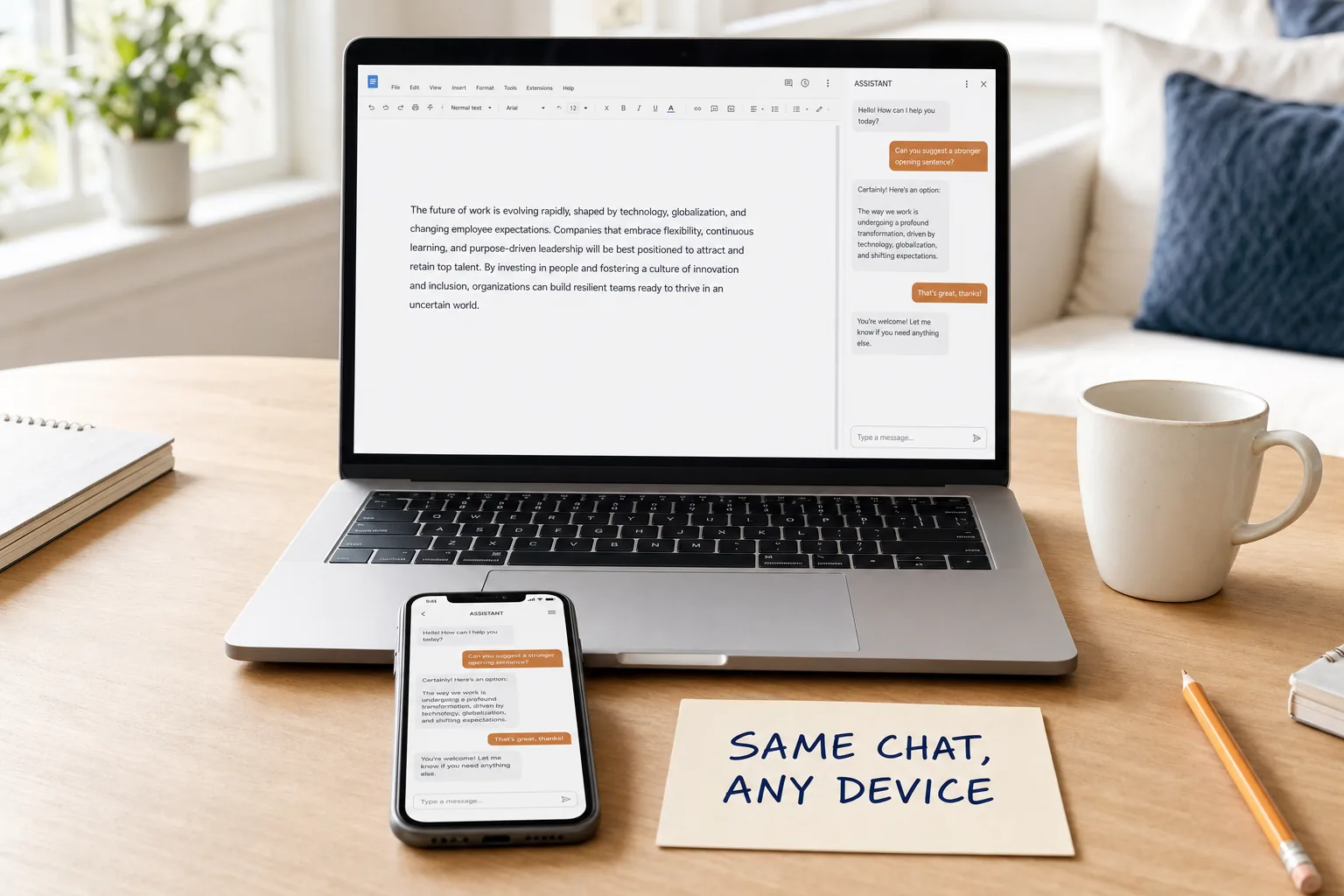
What you gain is friction removed, which is a duller benefit than it deserves to be. A keyboard shortcut brings the assistant up over whatever you're already doing, so you don't lose your place. You can drag a file straight onto it. Dictation is right there, and talking is roughly three times faster than typing for most people. The conversation follows you to your phone, so a question you started at your desk can be finished in the van.
Be clear about what it doesn't change, though. Same account, same usage limits, same privacy settings, same model. Nothing gets smarter because you installed it. You just use it more, which is the only thing that actually makes you better at it.
How to write a good AI prompt: the five-part brief
Forget the word "prompt" for a minute. You're writing a brief, the same as you would for a designer or a new starter, and every rule you already know about briefing people applies.
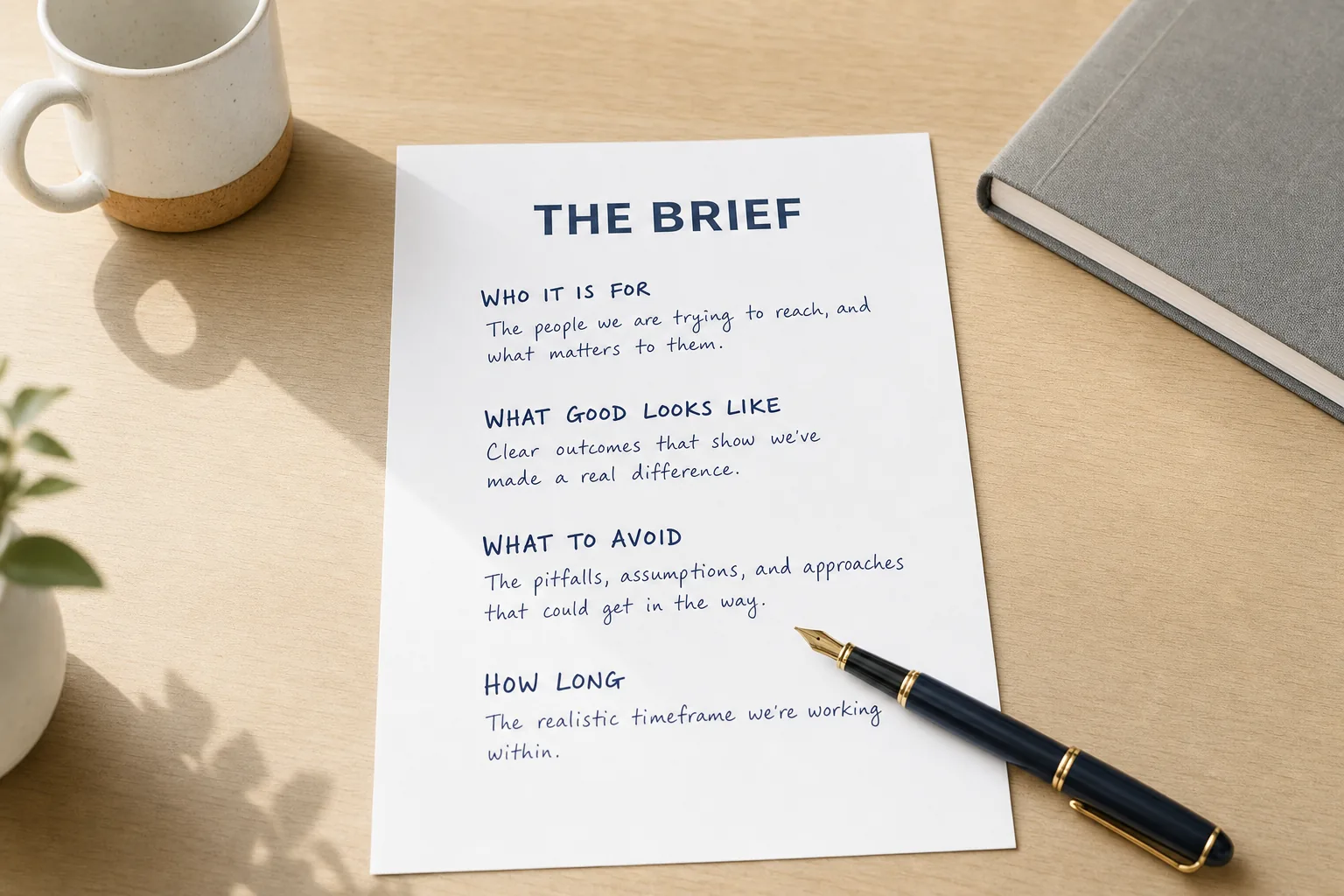
Five parts, in this order:
- The job. The finished thing you want, not the topic. "Draft a reply to a customer whose installation was delayed", not "help with customer service".
- Who it's for. One line. Who they are, what they know already, how they're feeling.
- The facts it can't know. Your prices, the order email, the policy, the dates. Anything you leave out gets omitted or invented.
- The boundaries. What must not happen. This is the part everyone skips and the part that saves you rewriting the answer.
- The shape. Length, format, tone, spelling. Then ask it to flag anything you should check.
Here's what that looks like written out. First the version most people send:
Write a Facebook post about my new packing service.And here's the same request briefed properly. It takes about ninety seconds longer to write, and it's the difference between something you'd post and something you'd delete:
Draft a Facebook post for my removals company in Brewood, Staffordshire.

THE SERVICE
We now pack the whole house the day before the move. Starts at £180
for a three-bedroom house, materials included.

WHO IT'S FOR
People moving house who have run out of time. Usually families with
young children who have underestimated the packing.

BOUNDARIES
Don't promise a fixed price. Say "from £180" and that we confirm
after a video survey. Don't claim we're the cheapest.

THE SHAPE
About 80 words. Plain UK English. No exclamation marks, no emoji.
End with "Message us for a date."

Then list anything in the post I should double-check before publishing.
Notice how little of that is technique. There's no magic wording, no role-play, no "you are a world-class copywriter". It's just the information a competent person would need, plus the things you'd tell them not to do.
The single best follow-up question
When the first answer isn't right, resist rewriting the whole brief. Ask instead: "What information would most improve this answer?" It will tell you exactly what it was guessing at, and you'll usually find it's the one thing you forgot to mention.
Prompt engineering advice that stopped being true
A lot of what's still being taught as prompt engineering was worked out on models from 2023 and has since been tested properly and found wanting. Three pieces of very popular advice are now either useless or actively harmful.
"Tell it to act as an expert"
This one is in every listicle. In December 2025, researchers at Wharton's Generative AI Labs ran expert personas across six models on graduate-level questions in physics, chemistry, biology, engineering and law. Their finding: "Expert personas don't improve factual accuracy", even when the expertise matched the question.
The more useful half of that study is what happens in the other direction. Personas implying limited knowledge, like "Toddler" or "Layperson", "consistently decreased performance across multiple models, with the degree of harm correlating to the level of implied ignorance". So "explain it to me like I'm five" is not a free simplification. You're asking a model to be worse at the thing before it answers. Ask for plain English and short sentences instead.
"Offer it a tip, or threaten it"
Sergey Brin said publicly that models do better if you threaten them. Wharton tested it in August 2025 across five models, and their conclusion was blunt: "Threats and rewards don't work." Individual questions swung wildly, some by more than thirty points in either direction, but nothing consistent came out of it. Their recommendation was to "focus on simple, clear instructions that avoid the risk of confusing the model".
"Always say think step by step"
This one used to work. It doesn't any more on current reasoning models, because they already do it internally. OpenAI's own guidance now says plainly: "Since these models perform reasoning internally, prompting them to 'think step by step' or 'explain your reasoning' is unnecessary."
The same inversion has happened with "double-check your work". Anthropic now tells developers to delete that instruction, because Claude Opus 5 verifies without being asked and the extra line just burns tokens. We covered that reversal when the model landed, in Claude Opus 5 checks its own work.
I find this whole area quietly reassuring, and I'll say why. If the winning move were a secret incantation, the people who'd win would be the ones who read the most Reddit threads. It isn't. The winning move is describing your own job clearly, which is a skill a removals foreman or a practice manager already has and a prompt-hack collector often doesn't.
How to give AI context about your business and stop generic answers
When somebody tells me AI writes rubbish for their business, the output is nearly always technically fine and completely anonymous. It could belong to any firm in the country. That isn't a model failure. It's a briefing failure, and it's the single most fixable thing on this page.
"As models become more capable, the challenge isn't just crafting the perfect prompt, it's thoughtfully curating what information enters the model's limited attention budget at each step."
What struck me reading that is how completely it inverts the advice of the previous two years. We were all told to hunt for the perfect phrasing. Anthropic's own engineers are now saying the phrasing was never the bottleneck, and the same piece notes that "smarter models require less prescriptive engineering". The work moved. It's no longer about how you ask; it's about what you put in front of it before you ask. That's a much less glamorous skill and a far more transferable one, because it's just the discipline of keeping your own business facts written down and current.
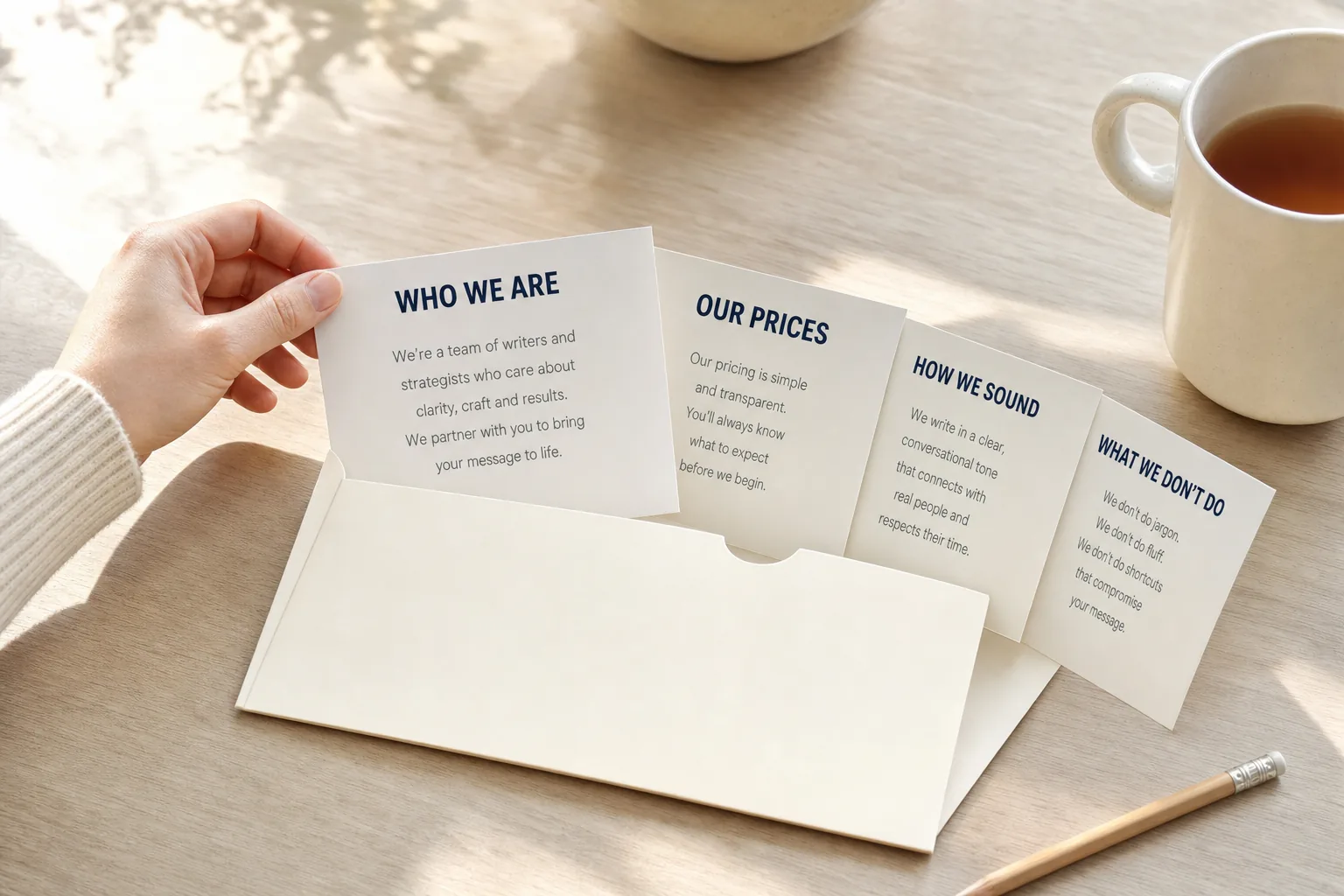
Write your context brief once
Open a document. Spend twenty minutes. Never write it again:
ABOUT US
[Business name], a [what you do] in [town]. We serve [who] across [area].
Trading since [year]. [Number] staff.

WHAT WE SELL AND WHAT IT COSTS
[Service 1] - from £X
[Service 2] - from £Y
All prices exclude VAT. We confirm after a survey.

HOW WE SOUND
Plain English, short sentences, British spelling. No jargon, no hype,
no exclamation marks. We say "we", not "the company".

WHAT WE NEVER SAY
We don't do [thing you don't do].
We never quote a fixed price without seeing the job.
We never claim to be the cheapest or the biggest.

WHO WE'RE TALKING TO
[Customer type], usually [situation], who care most about [X].

HOW TO ANSWER ME
If you don't know something about our business, ask. Don't guess.
Flag any claim you can't support from what I've given you.

Last reviewed: [date]
Then put it somewhere permanent rather than pasting it every time:
| Tool | Where it goes |
|---|---|
| ChatGPT | Custom Instructions for the always-on version, or a Project for a specific piece of work with its own files |
| Claude | Projects, with the brief as project knowledge. Styles for tone of voice |
| Gemini | A Gem, which is a saved assistant with its own instructions |
| Microsoft Copilot | Less needed: it already reads your Microsoft 365 files, though it can't know your tone rules |
| Gemini Notebook | Upload it as a source alongside your policies and price lists |
The evidence that this works is better than you'd expect. Researchers testing GPT-4o against thirteen neurology guidelines found that on its own it cited only real sources in 56% of answers and invented sources in 42%. Give it the actual guideline documents to work from and correct citations rose to 68% while fabrications fell to 14%. That's a controlled clinical task rather than a marketing email, so don't carry those exact numbers across to your own work. Carry the direction: handing it your own material cut invented sources by two thirds.
There's a habit worth stealing here too. When Claude Fable 5 built that crawler tool for us in one go, the instruction wasn't a specification. It was a description of what the finished thing should do and how it should feel to use, and then it went and read the existing code on the site before writing any. Brief by outcome, and let it gather the context itself where it can. It works far better than trying to dictate every step.
The AI learning curve for non-technical beginners
Honestly? Shorter than people fear and longer than the marketing suggests.
| When | What it feels like | What to do |
|---|---|---|
| First hour | Surprise that it just works in plain English, then mild disappointment at how bland the answers are | Ask it about a job you already know the answer to, so you can judge it |
| First week | The bland phase. This is where most people stop | Write the context brief. This is the step that ends the bland phase |
| First month | You stop treating answers as final and start pushing back on them | Learn the follow-up questions. Half the value is in round two |
| Three months | You know which jobs to hand over and which to keep. This is the actual skill | Notice which tasks it keeps failing, and stop giving it those |
"These systems work like people, even though they're not people. So those of us who are good at understanding others are often really good at working with AI. It's much more like teaching or managing or instructing than it is about coding."
If there's one line in this article I'd want a nervous 55-year-old business owner to read, it's that one. The people who struggle most with these tools in my experience aren't the least technical. They're the ones who assume it's a computer thing and that being bad with computers means being bad at this. It doesn't. The person who has spent thirty years explaining a job to a new lad on site already has the exact skill required. They just don't know it's the skill, and nobody has told them, because the field insists on calling it engineering.
Can you trust AI answers? Check before you use them
Now the part the enthusiasts skip.

In 2025, the Tow Center at Columbia gave eight AI search tools 1,600 queries asking them to identify the source of real news excerpts. Collectively they got it wrong more than 60% of the time. Perplexity did best at 37% wrong; Grok 3 got 94% wrong. The detail that should stay with you is the researchers' observation that the tools "presented inaccurate answers with alarming confidence, rarely using qualifying phrases such as 'it appears', 'it's possible', 'might'".
That was a deliberately hard, narrow test of citation retrieval, not a measure of general usefulness, and it's only fair to say so. But it tells you the failure mode precisely: you will not be able to tell a wrong answer from a right one by how sure it sounds.
So use a rule of thumb instead of a feeling. Three questions, applied to anything that leaves your desk:
- Would it cost me money, credibility or a customer if this were wrong? If yes, check it against a source you'd defend.
- Is there a number, a name, a date, a price or a law in it? Those are where fabrication concentrates. Verify every one.
- Did it cite something? Open the link. A citation that doesn't support the sentence is worse than no citation, because it buys unearned confidence.
Everything else, the tone-of-voice rewrites, the brainstorms, the first drafts, needs no ceremony at all. Read it, use your judgement, move on.
Is my data safe? What AI tools do with your conversations
The most common mistaken belief I hear is that paying for a plan makes your conversations private. It usually doesn't.
On personal ChatGPT plans, including Plus and Pro, your conversations may be used to improve the models unless you switch off the setting called Improve the model for everyone, which lives under Settings then Data Controls and is on by default. Gemini keeps activity on by default, and with it on, conversations can be reviewed by humans. Perplexity has AI data retention on by default across free and paid. Business and enterprise contracts are a different matter with different defaults, but a consumer subscription is not one.
None of that means don't use these tools. It means know which door you're walking through. For a UK business, the practical rules are short:
- Don't paste customer or staff personal data because it's convenient. Redact names and account numbers first.
- Keep special-category data, passwords and payment details out entirely.
- Check the training setting on day one, on every tool, and again after a big product update.
- For anything systematic, use a business product with proper processing terms rather than a personal account.
The ICO's AI and data protection risk toolkit is the sensible UK starting point if you need to be able to show your working.
One myth worth putting down while we're here: the widely repeated claim that OpenAI must permanently keep every deleted conversation because of a court order. That broad requirement ended in September 2025, and OpenAI says UK and EEA users were excluded from the special retention that preceded it.
What AI will not tell you it left out of your website
This is where our own work comes in, and it's the thing I most want people to take away.

In March, a client came to us wanting a new website. He'd already had a go himself using AI, and here's the uncomfortable part: on the surface it didn't look bad at all. Tidy, clean, sensible pages. He was pleased with it, and I could see why.
What was missing was everything a visitor can't see. Structure. Technical SEO. Schema markup. Internal linking. Location targeting. Trust signals. AI Discovery Files, starting with the llms.txt file that states in plain text who a business is and what it does. He had no way of knowing those existed, because nothing in the process he'd used had mentioned them. The site he'd built had almost no chance of ranking for anything competitive, and no chance at all of being described accurately by an AI assistant.
We saw the same pattern from the other end last July. A hosting customer, a non-technical chap running a domestic energy assessment firm, opened a support ticket because he couldn't update his site. The site turned out to be a single HTML file with every image encoded inline, which is what one of the site-generation tools produces. He'd attached his new images to the ticket, but uploading them would have achieved nothing, because his site referenced no image files at all. It also had to be renamed to index.html before it would serve, and nothing had warned him. We wrote back explaining the architecture, sent a screencast of the upload, and he was live the next morning able to repeat it himself.
Neither of those is an argument against using AI. Both men got further on their own than they would have a few years ago. The point is narrower and more useful: AI tools finish confidently, and they don't tell you what they left out. A website that looks right can still be unreadable to the systems that decide whether anyone hears about you.
There's a third version of this that costs more slowly. A client of ours published AI-written blog posts for about a year with no context brief, no guidelines and no training. The posts were grammatical and completely generic, and most were never indexed at all. That failure was ours before it was his: we handed over a system that depended on writing discipline nobody had shown him. Which is exactly what this article is trying to prevent.
If you've built or refreshed anything with AI recently, the free check takes two minutes and tells you what a machine can actually see. Our definition of AI Visibility Checking explains what's being measured, why AI visibility matters covers what it costs to ignore, and the quick-start guide walks through fixing it if the answer is "not much". If you only ever add one file, make it identity.json, which is the machine-readable version of "this is who we are".
Built something with AI? Find out what machines can actually read.
AI tools produce sites that look finished and publish nothing a machine can interpret. Run the free 365i AI Visibility Checker to see which of the ten AI Discovery Files your domain publishes, or use the AI Crawler Checker to confirm the crawlers can reach you at all.
Check your site freeHow to get started with AI: your first week
Five short sessions. Nothing here takes more than half an hour, and by Friday you'll know more than most people who've been dabbling for a year.
Monday: ask it something you already know
Pick a question about your own trade where you'd spot a wrong answer instantly. Judge the reply. This calibrates your trust properly, which no amount of reading can do.
Tuesday: write the context brief
Twenty minutes with the template above. Save it into Custom Instructions, a Project or a Gem. This is the day the answers stop being beige.
Wednesday: brief one real job properly
Take something you'd have written anyway. Use all five parts of the brief. Compare it against the version you'd have sent.
Thursday: install the apps and check the settings
Desktop and phone. While you're in there, find the training-data setting and decide what you want it doing.
Friday: try a second tool on the same job
Same brief, different assistant. You'll learn more about which suits you from one honest comparison than from every review ever written.
After that, the only thing that improves you is using it on real work. If you want to go further on the business side, our guide to preparing a website for AI agents covers what happens when the AI isn't a person's assistant but a buyer acting on their behalf, and the AI Discovery Files directory lists sites that have already done the groundwork. If you'd rather someone else handled the technical layer, our done-for-you setup pack researches, writes and deploys the whole set of files for your business.
Frequently asked questions
Which AI tool should I use as a complete beginner?
Start with ChatGPT if you have no strong reason to pick anything else. It handles the widest range of everyday jobs in one place, the free tier is enough to learn on, and most written guidance you will find assumes it. Switch later if a specific job pushes you elsewhere: Claude for careful writing and long documents, Gemini if your work lives in Gmail and Drive, Microsoft Copilot if it lives in Outlook and Excel.
Do I need to pay for AI, or is the free version enough?
The free tier is enough to learn on, and enough for a lot of real work. Pay only once the same task has proved useful several times and you keep hitting the usage limit. Paying earlier buys you allowance you have no way to judge yet. Our comparison of every AI subscription and what it costs covers the buying decision in detail.
Why does AI give me such generic answers?
Almost always because it does not know anything about you. A model can write competent English about removals; it cannot know your prices, your patch, your tone or the three things you refuse to promise. Write those down once as a context brief and give it to the tool every time, or store it permanently in ChatGPT Projects, Claude Projects or a Gemini Gem.
Is prompt engineering still worth learning in 2026?
The tricks are not; the briefing is. Wharton researchers have now shown that threatening a model, offering it a tip, or telling it to act as an expert produce no reliable improvement in accuracy. What does work is unglamorous: say what you want, who it is for, what facts to use, what to avoid, and what a good answer looks like.
Should I install the desktop app or just use the website?
Install the app. ChatGPT, Claude and Gemini all have desktop and mobile apps, and the practical gain is that a keyboard shortcut brings the assistant up over whatever you are already working in, instead of making you change tab and re-explain yourself. Same account, same limits, less friction. Conversations sync across your devices.
Can I put customer data into ChatGPT?
Not casually, and not on a consumer plan without checking the settings first. Personal ChatGPT plans, including paid ones, may use your conversations to improve the models unless you turn off Improve the model for everyone under Settings then Data Controls. Redact names and account numbers, keep special-category data out entirely, and use a business or enterprise product with proper processing terms for anything systematic.
How long does it take to get good at using AI?
An afternoon to be useful, a few weeks to be reliable. The first hour is spent learning that it answers in plain English. The real learning is judgement: knowing which jobs to hand over, how much context to supply, and which answers to check. That takes repetition on your own real work, not tutorials.
Can I trust what AI tells me?
Not without checking anything that carries consequences. When the Tow Center gave eight AI search tools 1,600 queries about real news articles, they were wrong more than 60% of the time, and the report noted they presented those wrong answers with alarming confidence. Treat AI output as a confident first draft from someone who has never admitted to being unsure.
Sources
- Consumer use and attitudes towards AI search tools - Which?
- AI Adoption Research - UK Department for Science, Innovation and Technology
- We Compared Eight AI Search Engines - Tow Center, Columbia Journalism Review
- Playing Pretend: Expert Personas Don't Improve Factual Accuracy - Wharton Generative AI Labs
- I'll Pay You or I'll Kill You, But Will You Care? - Wharton Generative AI Labs
- Reasoning Best Practices - OpenAI
- Effective Context Engineering for AI Agents - Anthropic
- Giving Your AI a Job Interview - Ethan Mollick, One Useful Thing
- Ethan Mollick, TIME100 AI - TIME
- AI and Data Protection Risk Toolkit - Information Commissioner's Office
- Retrieval-augmented generation and citation accuracy - npj Digital Medicine
- How ChatGPT Uses Your Data - OpenAI Help Centre