
Updated 25 July 2026: prices, models, and one reversal
- Copilot Pro no longer exists. Microsoft retired it for new subscribers, and existing subscriptions end on 1 August 2026. Microsoft 365 Premium replaces it at £18.99 a month. The original version of this article recommended a product you can no longer buy, which is the main reason we have rewritten it.
- Cheap tiers arrived. Google AI Plus is £4.49 a month and ChatGPT Go is £4.99 plus VAT. In April the cheapest paid option from any provider was around £16, so the entry price has fallen by roughly two thirds. There is a new section on which of them is worth having.
- The models all moved. ChatGPT Plus now runs GPT-5.6, Claude Pro includes Fable 5, Opus 5 and Sonnet 5, and Google AI Pro runs Gemini 3.1 Pro. Gemini 3.5 Pro was announced at Google I/O in May and still has not shipped.
- We have changed our mind about Gemini. In April we advised against it as a primary chatbot because of an 88% hallucination rate. Gemini 3.1 Pro cut that to 50% on the same benchmark and now leads it. The objection we raised no longer stands, and the section explaining why has been rewritten rather than quietly deleted.
- Added a full comparison table covering every tier, price, model and storage allowance, because the pricing is no longer simple enough to explain in prose.
What an AI subscription costs in 2026
For most of the last two years, the answer to "how much does an AI subscription cost" was boring: about £16 to £19 a month, from everybody, forever. That is no longer true, and the change matters more than any model release this year.
AI subscription prices now split into two bands rather than one. The full tiers still cluster where they always did: ChatGPT Plus at £16 plus VAT, Claude Pro at $20, Google AI Pro at £18.99, Microsoft 365 Premium at £18.99, Perplexity Pro at $20. Underneath them sits a new budget band that did not exist when we first published this comparison: Google AI Plus at £4.49 and ChatGPT Go at £4.99 plus VAT.
One UK-specific wrinkle worth knowing before you compare anything. The US-billed services quote prices before VAT, and OpenAI, Anthropic and Perplexity all add 20% at checkout. ChatGPT Plus advertised at £16 costs about £19.20 on your card. Google and Microsoft quote UK prices with VAT already included, so £18.99 is £18.99. That difference is close to £3 a month, which is enough to flip the ranking if you are comparing on price alone.
So the real question is not how much. It is which, and at which tier. And if you are not a developer, a researcher, or someone who lives in AI all day, the honest answer is not obvious. Most comparison articles are written for people doing specialised things: coding, academic research, or building automations. This piece is not about any of those.
We use all of these tools at 365i, the hosting and web-design company that publishes this site. The opinions below come from using them for real work, day in and day out, for years. The prices and features come from the providers' own pricing pages, verified in July 2026. The trust data comes from independent benchmarks, not marketing copy.
AI subscription comparison: every plan and price
The quickest way to compare AI subscriptions is side by side. Here is every paid consumer tier from the five main providers, with what you actually get. Prices verified against each provider's own UK pricing page in July 2026.
| Subscription | UK price per month | Main model | Storage included | Best for |
|---|---|---|---|---|
| Google AI Plus | £4.49 (VAT inc) | Gemini 3.1 Pro, limited use | 400GB | The cheapest way in |
| ChatGPT Go | £4.99 + VAT (about £6) | GPT-5 class, not 5.6 | None | Occasional ChatGPT users |
| ChatGPT Plus | £16 + VAT (about £19.20) | GPT-5.6 (Sol, Terra, Luna) | None | Most people, most tasks |
| Claude Pro | $20, or $17 billed annually | Fable 5, Opus 5, Sonnet 5, Haiku | None | Writing anything you sign |
| Google AI Pro | £18.99 (VAT inc) | Gemini 3.1 Pro | 5TB | Best overall value |
| Microsoft 365 Premium | £18.99, or £189.99 a year | Copilot (GPT-5 class) | 1TB per person, up to 6TB | Living in Word and Excel |
| Perplexity Pro | $20, or $200 a year | Multiple, plus Sonar | None | Research and fact-checking |
Two things stand out when you lay it out like this. The first is that storage is the only real differentiator on price: Google AI Pro and Microsoft 365 Premium cost the same as a bare chatbot subscription and throw in terabytes. The second is that the budget tiers are not a slightly cheaper version of the same thing. They are a different product, and the next-but-one section explains where the line falls.
Best AI subscription for personal use: who this is for

The user this comparison is written for is not extreme in any direction. They do not need a 1-million-token context window. They do not need to run autonomous agents. They do not need to generate cinema-grade video. They need competent help with writing, summarising, planning, answering questions, learning new things, and occasionally making a picture for a birthday card.
They also do not want to become a prompt engineer. They want to ask a normal question in normal English and get a useful answer on the first try. Tools that require clever prompting to behave well are, for this audience, worse than tools that just behave well.
Finally, they read the answer and use it. They do not have time to cross-check every claim against three sources. So trust matters, not because hallucinations are uniquely scary, but because an AI that is confidently wrong wastes more time than one that is carefully right. That sets up the biggest decision point in this whole comparison, which we come back to in the trust section.
Ethan Mollick, professor at Wharton and one of the most thoughtful observers of how AI is actually used, put it like this:
"The era of the chatbot is turning into the era of the digital coworker."
Ethan Mollick, Associate Professor at the Wharton School, writing on One Useful Thing, 18 November 2025 (verify quote at source)
That line landed for me because it names something I had felt without being able to phrase. The AI you subscribe to now is not a toy you prompt and giggle at. It is a member of the household that helps you write the emails you would rather not write and summarises the documents you would rather not read. You are not choosing a gadget. You are choosing a colleague. And like any colleague, the one you pick should be the one you can actually trust with the work.
The cheapest AI subscription actually worth having
The cheapest paid AI subscription you can buy is Google AI Plus at £4.49 a month. It is also, for a surprising number of people, the correct one.
What you get: 400GB of cloud storage across Gmail, Drive and Photos, roughly double the free tier's Gemini usage limits, and access to the image and video generation tools. What you do not get: the higher Gemini 3.1 Pro allowances that the £18.99 Pro tier unlocks, or the 5TB storage.
The comparison that matters is not Google AI Plus against Google AI Pro. It is Google AI Plus against the 200GB Google One plan that a lot of UK households already pay about £2.49 a month for. If you are on that plan and you take a lot of photos, moving up to AI Plus doubles your storage and adds a frontier AI for roughly £2 a month more. That is the single best-value line in this entire article, and it has nothing to do with which chatbot is smartest.
ChatGPT Go at £4.99 plus VAT (about £6) is the other budget option. It gives you GPT-5-class access and file uploads without the full Plus feature set, and notably without the GPT-5.6 reasoning models. If you like ChatGPT specifically, keep hitting the free tier's message limits, and do not care about the newest models, Go is a sensible £6. If you want the model that makes ChatGPT Plus worth £19, Go is not it.
Here is the honest test for whether you need a full tier at all. Use the free version for a fortnight and count how often you hit a limit or wish for something the free tier withheld. If the answer is "almost never", buy the budget tier. If the answer is "constantly, and specifically for the harder questions", buy the full tier. Most people who ask us this question have never actually run that test, and about half of them are paying £19 for something a £4.49 plan would cover.
Best AI subscription for writing emails and letters

If the main thing you want help with is writing, the answer is Claude Pro. This is not a close race, and three model releases since April have not changed it.
Claude's default voice is measured, varied in sentence length, and allergic to the corporate-upbeat tone that ChatGPT falls into without a strong system prompt. It handles British English (spellings, idioms, the occasional "sorry" before a complaint) more reliably than the others, which for a UK audience is worth more than it sounds. It follows instructions about register and tone the first time, rather than the third, which saves you the editing round you would otherwise do.
The Pro subscription now covers a wider model range than it did in April: Fable 5 at the top, then Opus 5, Sonnet 5 and Haiku, plus Claude Code, Cowork, Design and Science. For writing tasks the model choice barely matters, which is worth saying plainly. Sonnet 5 drafts a complaint letter about as well as Opus 5 does. The reason to be on Claude is the house style, not the tier.
If you write anything for a living, or anything you sign your name to, Claude is the one that will save you the most time. A polite complaint to a utility company, a condolence card, a product description, a covering letter for a job application, a short piece for a newsletter: Claude's first draft is usually closer to the finished version than anyone else's third.
ChatGPT is competent at writing and is the one you will probably default to if you have only ever used one AI. It handles variety well, it has the best image generation if you want to illustrate whatever you are writing, and GPT-5.6 narrowed the prose gap again. But on pure quality for everyday writing tasks, Claude is still ahead.
Gemini produces fluent paragraphs but often veers into the kind of breathless, adjective-heavy prose that reads like marketing copy even when you ask for plain English. It is not unusable, but you will edit more.
Best AI for quick questions and general knowledge
For the "what's the recipe for shortcrust pastry, how do I unclog a dishwasher, what does this symbol on my washing machine mean" layer of questions, ChatGPT Plus is the winner. The reason is not that it is smarter than the others. The reason is that it is the fastest to answer, the most used, and the one whose quirks you will learn most easily because you will be using it the most.
ChatGPT's mobile app is the best of the five for how most people ask questions: you open it, you tap the microphone, you speak a half-formed sentence, and it answers back in conversational voice. The voice mode has matured over three years of iteration into something that really does feel like asking a knowledgeable friend. None of the others quite match it on that particular interaction.
The caveat on quick questions is the same caveat you should apply to any AI you use for facts: it will be wrong sometimes. ChatGPT, like all of the others, runs a retrieval pipeline for time-sensitive queries, which cuts hallucinations sharply. But the first thing you should check when an AI gives you a factual answer is whether it actually has citations, and whether those citations are real. If there are no sources, or the sources are for a different claim, trust nothing it says.
This is also the area where the gap between the paid and free tiers is smallest, and where the new budget tiers make the most sense. If quick questions are most of what you do, ChatGPT Go at about £6 or Google AI Plus at £4.49 will serve you as well as a £19 subscription would.
Best AI subscription for research and fact-checking
When the answer actually matters, switch to Perplexity Pro.
Aravind Srinivas, Perplexity's co-founder, defined the category himself:
"Perplexity is best described as an answer engine. You ask it a question, you get an answer."
Aravind Srinivas, CEO of Perplexity, in the Lex Fridman Podcast #434 (verify quote at source)
What I took from that the first time I heard it was how much work the word "answer" is doing. Most chatbots are optimised to be interesting. Perplexity is optimised to be correct, because being wrong with a clickable citation underneath is uniquely embarrassing. That constraint changes everything about how it writes, and it is why Perplexity has become the tool I reach for when I actually need to trust something, rather than just enjoy it.
The classic use case is buying something where you want to be sure. Asking ChatGPT "is the Dyson V15 worth £579 versus the £329 Shark Cordless" gets you a confident-sounding comparison that may or may not be anchored to anything real. Asking the same question of Perplexity gets you a comparison with footnotes under every claim, each of which you can click, each of which links to the actual review or spec sheet the claim came from. That changes what you do with the answer: instead of taking the AI at its word, you skim the sources and make up your own mind.
Perplexity is also the best of the five for anything current, including news, recent product launches, and ongoing situations. It treats the live web as a first-class input rather than an afterthought.
The trade-off is that Perplexity is not chatty. It will not help you brainstorm ideas or write a speech or role-play a tricky conversation you are about to have with your boss. It is a research tool. If research and fact-checking are most of what you want from AI, it is the best subscription on the market. If they are only part of what you want, Perplexity is probably better as a second, free-tier tool alongside whichever paid chatbot you choose.
Microsoft 365 Premium and Google AI Pro: AI inside your apps
Two of these are worth considering mainly because of the things they are attached to, not because of the chatbot itself. One of them changed name and shape since April.
Microsoft 365 Premium is what you buy now if Word, Excel, Outlook and PowerPoint are already where you spend your working day. It replaced Copilot Pro, which Microsoft has retired: no new subscribers, and existing subscriptions end on 1 August 2026. If you took our April advice and bought Copilot Pro, that is a date in your diary this week rather than a hypothetical.
The replacement is a bigger bundle than the thing it replaced. At £18.99 a month or £189.99 a year you get Copilot inside the Office apps, the full desktop applications rather than just the web versions, 1TB of cloud storage per person for up to six people, and Microsoft Defender. Copilot Pro was £16 for the AI layer alone. Whether that is a price rise or a bargain depends entirely on whether you were already paying for Microsoft 365 separately. If you were, this is cheaper. If you were not, it is £3 more for a lot more.
One caveat that Microsoft buries and we will not: the AI features are only available to the subscription owner. Storage is shared across six people, Copilot is not.
Google AI Pro is the equivalent for people who live in Gmail, Docs and Sheets, and its bundle is the strongest on the list: 5TB of Google One cloud storage across Photos, Drive and Gmail, plus Gemini 3.1 Pro, image and video generation, NotebookLM, and Gemini inside the Workspace apps, for £18.99 including VAT.
If you were already paying for a 2TB Google One plan and you take a lot of photos, the AI subscription is close to free at the margin. You get the storage you were going to buy anyway, and a frontier AI arrives with it.
The trust problem: which AI can you actually believe?

This is the section we have rewritten, because the article was wrong and we would rather say so than quietly edit the sentence.
In April, the subscription we had the hardest time recommending was Google's, and the reason was trust. In November 2025, Artificial Analysis published the AA-Omniscience benchmark, which scores large language models across 6,000 questions in six domains. Gemini 3 Pro took the highest raw accuracy at 53%. It also posted an 88% hallucination rate. What that meant in practice: when Gemini did not know the answer, it rarely said so. It said something confident instead, and the something was wrong more often than for the other frontier models. Their assessment at the time was blunt:
"While Gemini 3 Pro demonstrates greater factual coverage, its tendency to give wrong answers rather than admit uncertainty remains unchanged."
Artificial Analysis, AA-Omniscience benchmark report via The Decoder, November 2025 (verify quote at source)
Gemini 3.1 Pro, released in February 2026, fixed it. On the same benchmark from the same organisation, the hallucination rate fell from 88% to 50%, a 38 percentage point drop. Accuracy stayed at 53%, so this was not a case of the model knowing more. It was the model learning to stop guessing. Artificial Analysis said so directly:
"Gemini 3.1 Pro Preview also leads our knowledge and hallucination benchmark, AA-Omniscience. The model improves by 17 points on our key metric, the Omniscience Index, which rewards models for knowing the answer and penalizes incorrect guesses."
Artificial Analysis, writing on X, February 2026. The same finding appears in their Gemini 3.1 Pro Preview analysis (verify quote at source)
So the specific objection we raised in April, that Gemini combined high fluency with high over-confidence, no longer holds against the model you would actually be subscribing to. Google fixed the thing we said was disqualifying. We are not going to pretend otherwise to protect an old verdict.
What has not changed is the underlying advice, which was never really about Gemini. A 50% hallucination rate is a leading score on this benchmark and it is still a coin flip on the questions the model does not know. Claude will tell you when it is unsure. ChatGPT usually surfaces citations. Perplexity shows you the sources under every sentence. The right habit is the same whichever you buy: for anything you cannot verify and cannot afford to get wrong, make the AI show you where it got the answer.
Worth noting for anyone waiting: Gemini 3.5 Pro was announced at Google I/O in May 2026 with a rollout target of "next month". It has not shipped, and Google has said it is taking longer over coding and reliability. If you are holding off on a Google subscription until 3.5 lands, you have already waited two months longer than you expected to.
Best value AI subscription: what you get beyond the chatbot
Most AI comparison articles stop at the chatbot. That is a mistake for the average user, because the chatbot is only one line on the invoice.
Line them up on what £19 a month actually buys and the ranking looks quite different from the model leaderboards:
- Google AI Pro, £18.99. A frontier chatbot, image and video generation, NotebookLM, Gemini in Workspace, and 5TB of storage. If you already pay £6.99 for Google One 2TB, the marginal cost of the AI is about £12.
- Microsoft 365 Premium, £18.99. Copilot in the Office apps, the full desktop Office suite, 1TB per person across up to six people, and Defender. If you were already paying for Microsoft 365 Family, the AI is effectively a small top-up.
- ChatGPT Plus, about £19.20 with VAT. The chatbot. Nothing bundled. It has to win on the product alone, and for general use it does.
- Claude Pro, $20 or $17 billed annually. The chatbot, and the best writing on the market. Nothing bundled.
- Perplexity Pro, $20. The best research assistant on the market. Nothing bundled, and nothing else close if research is the job.
On pure value for money, Google AI Pro wins, and it is not particularly close. Two of the five give you terabytes of storage for the same money the others charge for a chat window. In April we still ranked it third because of the trust problem. With that problem substantially fixed, the value argument no longer has a counterweight sitting on it.
That does not automatically make it the right purchase for you. If you have no use for cloud storage and you write for a living, paying the same money for Claude Pro's prose is a perfectly rational trade. Value is what you get for the money, not what is included in the box.
Our recommendations for five kinds of user
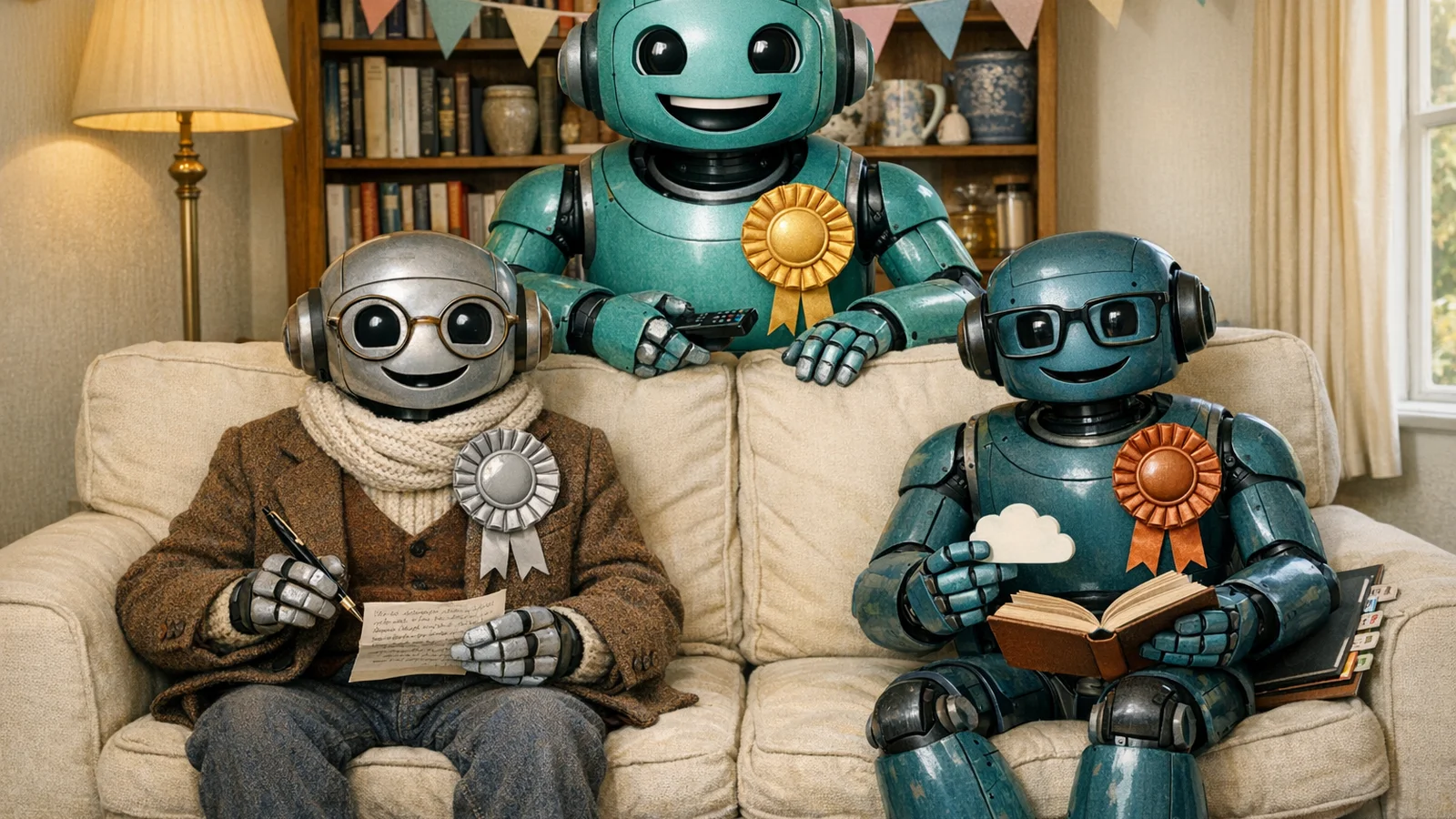
So which AI subscription is worth it? The question people actually ask us is not which model tops a leaderboard, it is which AI should I pay for, given what I do in a normal week. Those are different questions, and only the second one has a useful answer. Here are five, for five kinds of user.
1. Best for most people: ChatGPT Plus
If you have never paid for an AI before and you just want the safe default, ChatGPT Plus at £16 plus VAT is the one. It does everything competently, it now runs GPT-5.6, and it is the tool your friends and colleagues are most likely to also be using, so prompts and tips transfer easily. Its voice mode is the most natural of the five. Its image generation is excellent. It is not the best at anything specific, but it is very good at everything.
2. Best for writing: Claude Pro
If your week includes serious writing (professional correspondence, longer-form content, anything that has to sound like a real person wrote it), pay for Claude Pro. At $17 a month billed annually it is the best writing AI available to consumers. The entire text of this site's blog starts as a Claude conversation, and the reason is that no other tool produces drafts that are closer to publishable without heavy editing.
3. Best value: Google AI Pro
Google AI Pro at £18.99 including VAT gets you 5TB of storage, Gemini 3.1 Pro, image and video generation, NotebookLM and Gemini in Workspace. This is the pick that moved most since April: with the hallucination problem substantially addressed, the bundle argument now stands on its own. If you take a lot of photos and were going to buy storage anyway, nothing else on this list competes.
4. Cheapest worth having: Google AI Plus
At £4.49 a month with 400GB of storage, Google AI Plus is the lowest sensible entry point. If your AI use is quick questions, the occasional draft, and light image generation, this covers it for a quarter of the price of a full tier. Buy this before you buy anything else, and upgrade only when you can name the limit you are hitting.
5. Best for research: Perplexity Pro
Perplexity Pro at $20 is the right answer if the main thing you want AI for is research, shopping, or fact-checking. It is not chatty enough to be most people's only subscription, but it is the best second one you can have, and the free tier is already generous enough for occasional users.
The one to think hard about: Microsoft 365 Premium
Microsoft 365 Premium at £18.99 is the right answer if Microsoft 365 is your entire working day, and a poor one otherwise. The Copilot chatbot taken out of Office is not the strongest of the group. But if you are in Word and Excel for eight hours a day, and especially if you already pay for Microsoft 365 separately, ignore everything above and buy this. And if you are on the retiring Copilot Pro plan, you have until 1 August 2026 to decide.
A brief note on model-routing: if you are a small business owner or a freelancer rather than a purely home user, the right answer is often not one subscription but two or three used strategically. Our sister site 365i Web Design has written about the model-routing approach at API level. For a home user, one is almost always enough. And if you write code, the calculation changes again: we have covered whether Claude Fable 5 is worth paying extra for and when to reach for Claude Opus 5 over Sonnet 5 separately.
A quick note on AI Visibility
This is a site about AI Visibility, which is the infrastructure side of how AI systems find, interpret, and cite websites. That is a different problem from which subscription you buy, but it is connected, and the hallucination discussion above is a good place to see the connection.
When any of these AIs answers a question about your business (or your local plumber, or your accountant, or the restaurant you booked last week) it is pulling information from the open web and trying to work out what is true. If the websites involved are ambiguous about who they are, what they do, or who to contact, the AI has to guess. Sometimes it guesses right. Sometimes it guesses confidently wrong, and a business loses a customer to a hallucinated answer.
That is the problem AI Visibility Checking exists to solve. It is a set of machine-readable declarations you can publish on your site to remove the ambiguity: your business name, your services, your location, your contact details, your citation preferences. When the AI has to answer a question, it reads those first, and the confident-but-wrong failure mode we just described happens a lot less.
If you run a business and you would like to know whether your own website is giving AI systems enough to work with, the AI Visibility Checker runs the same checks a retrieval system does: accessibility, identity clarity, AI Discovery Files, and extractability. It takes under a minute and tells you, deterministically, what is missing.
For more on the topic, see our AI Visibility Q&A with Mark McNeece and our guide on how to get your website into AI search results. For the underlying infrastructure, what AI Discovery Files are and how to create your llms.txt file are good starting points.
See how AI systems see your website
The AI Visibility Checker runs your site through the same checks ChatGPT, Claude, Gemini, and Perplexity run before deciding what to cite. Accessibility, identity clarity, AI Discovery Files, structural readiness. You get a deterministic score in under a minute, with specific fixes for anything that fails.
Check your AI visibilityFrequently asked questions
Which AI subscription is cheapest?
Google AI Plus at £4.49 a month is the cheapest paid tier from any of the major providers, and it includes 400GB of cloud storage alongside higher Gemini limits. ChatGPT Go is next at £4.99 plus VAT, which lands at about £6. Both are recent additions. Until early 2026 the cheapest paid option from any provider was around £16, so the entry price for a paid AI subscription has fallen by roughly two thirds in under a year.
How much does an AI subscription cost per month?
There are now two price bands rather than one. Budget tiers run £4.49 to £6 a month (Google AI Plus, ChatGPT Go). Full tiers run £16 to £19 before VAT, which is roughly £19 to £21 once VAT is added on the US-billed services: ChatGPT Plus, Claude Pro, Google AI Pro at £18.99, Microsoft 365 Premium at £18.99, and Perplexity Pro. Annual billing saves money on several of them, most notably Claude Pro at $17 a month paid yearly.
Which AI subscription is best value for money?
For most households, Google AI Pro at £18.99. It bundles 5TB of cloud storage across Gmail, Drive and Photos with the AI subscription, so if you were already paying for Google One storage the AI is close to free at the margin. Nothing else on the list includes storage on that scale. Microsoft 365 Premium at the same £18.99 is better value if you use Word, Excel and Outlook daily, because it adds the full desktop Office apps.
Is ChatGPT Plus worth it for the average user?
For most people, yes. ChatGPT Plus is still the safest default if you have not tried any of them before. It handles writing, summarising, research and image generation competently, it now runs the GPT-5.6 model family, and it is the AI everyone else you work with is most likely to have used, which matters when you are asking for help or swapping prompts. If you only dip in occasionally, try ChatGPT Go at about £6 first.
Is Claude Pro better than ChatGPT Plus for writing?
For most writing that has to sound like a person wrote it (emails, letters, longer-form articles, anything with voice), Claude Pro reads better straight out of the box. ChatGPT tends toward a slightly corporate register that needs editing down. Claude also handles British English more reliably. Claude Pro now includes the Fable 5, Opus 5, Sonnet 5 and Haiku models rather than the older Opus and Sonnet line-up.
Is Gemini trustworthy in 2026?
More than it was, and this is a verdict we have changed. On the November 2025 AA-Omniscience benchmark, Gemini 3 Pro posted an 88% hallucination rate, meaning it rarely admitted uncertainty when it did not know something, and we did not recommend it as a primary chatbot. Gemini 3.1 Pro cut that to 50% on the same benchmark, and Artificial Analysis now rates it the leader on their knowledge and hallucination benchmark. The objection we raised in April no longer stands.
What happened to Microsoft Copilot Pro?
Microsoft retired it. Copilot Pro is no longer sold to new subscribers, and existing subscriptions end on 1 August 2026. The consumer replacement is Microsoft 365 Premium at £18.99 a month or £189.99 a year, which bundles Copilot in the Office apps with the full desktop applications and 1TB of storage per person. If you are still on Copilot Pro, you need to make a decision before that August date.
Do I really need a paid AI subscription or is the free tier enough?
If you only dip in occasionally, the free tier of most of these tools will cover you. Paid tiers become worth the money if you hit message or upload limits regularly, if you want the higher-quality models (Claude Opus 5, Gemini 3.1 Pro, GPT-5.6), or if the bundled benefits like storage or Office apps matter to you independently of the AI. The arrival of £4.49 to £6 tiers has made that decision much cheaper to get wrong.
Sources
- ChatGPT Plans: Free, Go, Plus, Pro, Business, and Enterprise - OpenAI
- Claude Pricing - Anthropic
- Google AI Plus, Pro and Ultra subscriptions, UK pricing - Google
- Buy Microsoft 365 Premium, UK subscription price - Microsoft Store
- Which Perplexity Subscription Plan Is Right for You - Perplexity Help Center
- Gemini 3.1 Pro Preview: The new leader in AI - Artificial Analysis
- Gemini 3 Pro tops new AI reliability benchmark, but hallucination rates remain high - The Decoder (Artificial Analysis AA-Omniscience benchmark)
- Artificial Analysis on Gemini 3.1 Pro and the Omniscience Index - X
- Gemini 3.1 Pro: Announcing our latest Gemini AI model - Google
- Three Years from GPT-3 to Gemini 3 - Ethan Mollick, One Useful Thing
- Aravind Srinivas: Perplexity CEO on Future of AI, Search and the Internet - Lex Fridman Podcast #434